Best Seller Icon Bestseller

CERTIFICATE In COMPUTER APPLICATIONS & ACCOUNTING(M-CCA&AP-6100)

  • Last updated Oct, 2026
  • Certified Course
₹12,000 ₹15,000

Course Includes

  • Duration6 Months
  • Enrolled1
  • Lectures125
  • Videos0
  • Notes0
  • CertificateYes

What you'll learn

Certificate Course in Computer Applications & Financial Accounting (CCAFA)

Course Description

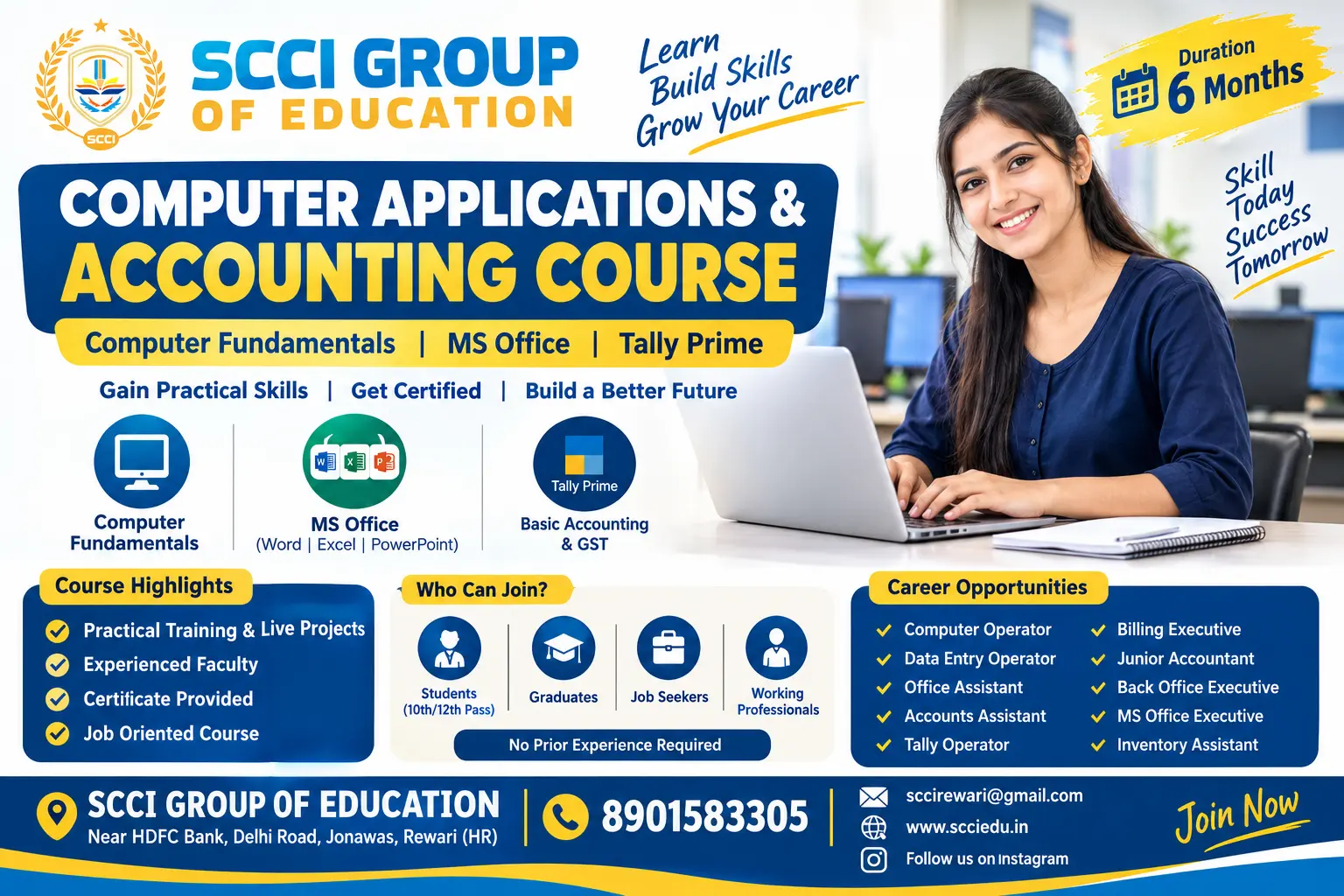
The 6-Month Computer Applications & Accounting Course at SCCI GROUP OF EDUCATION is designed for beginners, students, job seekers and working professionals who want to develop essential computer, office productivity and accounting skills.

The course begins with computer fundamentals and operating system basics, followed by practical training in MS Word, MS Excel, MS PowerPoint, internet applications, email communication, typing and digital documentation. Students then learn computerized accounting using Tally Prime, including company creation, ledger management, voucher entries, GST fundamentals, inventory management, banking and financial reports.

The program emphasizes hands-on practice, practical assignments and real-world office and accounting tasks to prepare students for entry-level computer operator, office assistant, data entry operator, accounts assistant and billing executive roles.

Course Structure — 6 Months

Month 1

Computer Fundamentals

Computer basics, hardware and software, Windows, file management, typing, internet and email

Month 2

MS Word & Office Documentation

Document creation, formatting, tables, page layout, mail merge, letters and reports

Month 3

MS Excel & PowerPoint

Formulas, functions, charts, data management, reports, presentations and practical assignments

Month 4

Accounting Fundamentals

Accounting principles, debit and credit, journal, ledger, trial balance, trading and profit & loss account

Month 5

Tally Prime & GST

Company setup, groups, ledgers, vouchers, sales, purchases, GST entries and tax reports

Month 6

Advanced Accounting Practice & Projects

Inventory, bank reconciliation, outstanding entries, financial statements, payroll basics and final project

Show More

Course Syllabus

Detailed Subjects & Syllabus

Module 1: Computer Fundamentals

  • Introduction to computers and their applications
  • Types and generations of computers
  • Hardware, software and peripheral devices
  • Input and output devices
  • CPU, RAM, ROM and storage devices
  • Operating systems and Windows basics
  • Desktop, taskbar, settings and shortcuts
  • File and folder management
  • Installing and uninstalling applications
  • Basic computer security, antivirus and backups
  • English typing and keyboard shortcuts
  • Internet browsing, downloads and email

Module 2: MS Word

  • Introduction to word processing
  • Creating, saving and editing documents
  • Font, paragraph and page formatting
  • Bullets, numbering and tab settings
  • Tables, borders and shading
  • Headers, footers and page numbering
  • Page setup, margins and printing
  • Inserting pictures, shapes and symbols
  • Find and replace
  • Mail merge for letters and labels
  • Creating resumes, applications, notices and reports
  • Practical document preparation

Module 3: MS Excel

  • Workbook, worksheet, rows, columns and cells
  • Data entry and cell formatting
  • Number, date and currency formats
  • Basic formulas and calculations
  • SUM, AVERAGE, MIN, MAX and COUNT
  • IF and basic logical functions
  • Sorting and filtering
  • Conditional formatting
  • Tables and data validation
  • Charts and graphs
  • Basic lookup functions, such as VLOOKUP
  • Monthly expenses and salary sheets
  • Attendance, marks and student fee records
  • Sales reports and basic accounting worksheets

Module 4: MS PowerPoint & Office Productivity

  • Creating presentations and slides
  • Themes, layouts and slide design
  • Text, images, tables and charts
  • Transitions and animations
  • Presentation delivery
  • Printing and exporting to PDF
  • Office email etiquette
  • Google Drive and cloud file sharing basics
  • Scanning and organizing digital documents

Module 5: Accounting Fundamentals

  • Introduction to accounting
  • Meaning and objectives of accounting
  • Assets, liabilities, capital, income and expenses
  • Accounting principles and concepts
  • Debit and credit rules
  • Accounting equation
  • Journal entries
  • Ledger posting
  • Cash book and petty cash book
  • Trial balance
  • Trading account
  • Profit and loss account
  • Balance sheet
  • Cash and bank transactions
  • Purchase and sales transactions
  • Discount and basic taxation concepts

Module 6: Tally Prime & Computerized Accounting

  • Introduction to Tally Prime
  • Creating and configuring a company
  • Financial year and company features
  • Groups and ledger creation
  • Units of measurement and stock groups
  • Stock items and inventory setup
  • Accounting vouchers:
  • Contra
  • Payment
  • Receipt
  • Journal
  • Sales
  • Purchase
  • Debit Note
  • Credit Note
  • Cash and credit transactions
  • Purchase and sales invoice preparation
  • Customer and supplier accounts
  • Inventory and stock management
  • GST configuration and basic GST entries
  • GST sales and purchase invoices
  • Basic GST reports
  • Bank reconciliation
  • Outstanding receivables and payables
  • Profit & Loss Account and Balance Sheet
  • Day Book, Trial Balance and cash/bank reports
  • Data backup, restore and export

Note: GST and statutory reporting should be taught using current rules and the appropriate software configuration.

Module 7: Practical Accounting & Office Projects

  • Prepare a professional resume in MS Word
  • Create an attendance sheet in Excel
  • Prepare a salary and expense statement
  • Create an invoice and quotation
  • Maintain customer and supplier records
  • Enter purchase and sales transactions in Tally
  • Prepare a GST invoice
  • Maintain stock records
  • Generate a Trial Balance
  • Prepare Profit & Loss Account and Balance Sheet
  • Complete a simulated business accounting project

5. Practical Training Distribution

Training Area

Suggested Duration

Computer Fundamentals

1 Month

MS Word & Office Applications

1 Month

MS Excel & PowerPoint

1 Month

Accounting Fundamentals

1 Month

Tally Prime & GST

1 Month

Practical Projects & Assessment

1 Month

6. Eligibility

  • Minimum qualification: 10th pass; 12th pass is recommended.
  • Open to students, beginners, job seekers and working professionals.
  • No prior computer or accounting experience required.
  • Basic reading, writing and arithmetic skills are helpful.
  • Suitable for students from any academic stream.

7. Career Opportunities

After completing the course, students can apply for entry-level roles such as:

  • Computer Operator
  • Data Entry Operator
  • Office Assistant
  • Back Office Executive
  • MS Office Executive
  • Billing Executive
  • Accounts Assistant
  • Junior Accountant
  • Tally Operator
  • Inventory Assistant
  • Accounts & Office Support Executive

Employment depends on individual practical skills, experience and employer requirements.

8. Course Assessment

  • Computer practical assignments
  • MS Word document preparation
  • Excel formulas and reporting tasks
  • Accounting theory test
  • Tally Prime practical examination
  • GST invoice preparation
  • Final integrated office and accounting project
  • Viva and practical assessment


Eligibility

Who can apply for this course

Eligibility

  • Minimum qualification: 10th pass; 12th pass is recommended.
  • Open to students, beginners, job seekers and working professionals.
  • No prior computer or accounting experience required.
  • Basic reading, writing and arithmetic skills are helpful.
  • Suitable for students from any academic stream.


Course Fees

Course Fees
:
₹15000/-
Discounted Fees
:
₹ 12000/-
Course Duration
:
6 Months

Review

0.0
Course Rating (0 reviews)
0%
0%
0%
0%
0%


Call
Text Message
Review
Brochure
Email
CHAT